
 English
 EN
EN FRENCH
 繁体中文
繁体中文





Configuring Waterfox Browser With Swiftproxy

Why choose Waterfox browser?
Waterfox is a 64-bit browser developed based on Mozilla Firefox open source code, focusing on privacy protection and performance optimization.
Core features
- Privacy first: User tracking, telemetry reporting and advertising plug-ins (such as Pocket) are disabled by default to strictly protect user data.
- 64-bit performance: Optimized for 64-bit systems, using SSE/AVX instruction sets and Intel C++ compiler, it runs faster than native Firefox.
- Extension compatibility: Fully supports Firefox's extension ecosystem, and users can freely install various plug-ins.
Configuring Waterfox Browser With Swiftproxy
Step 1: Get proxy information
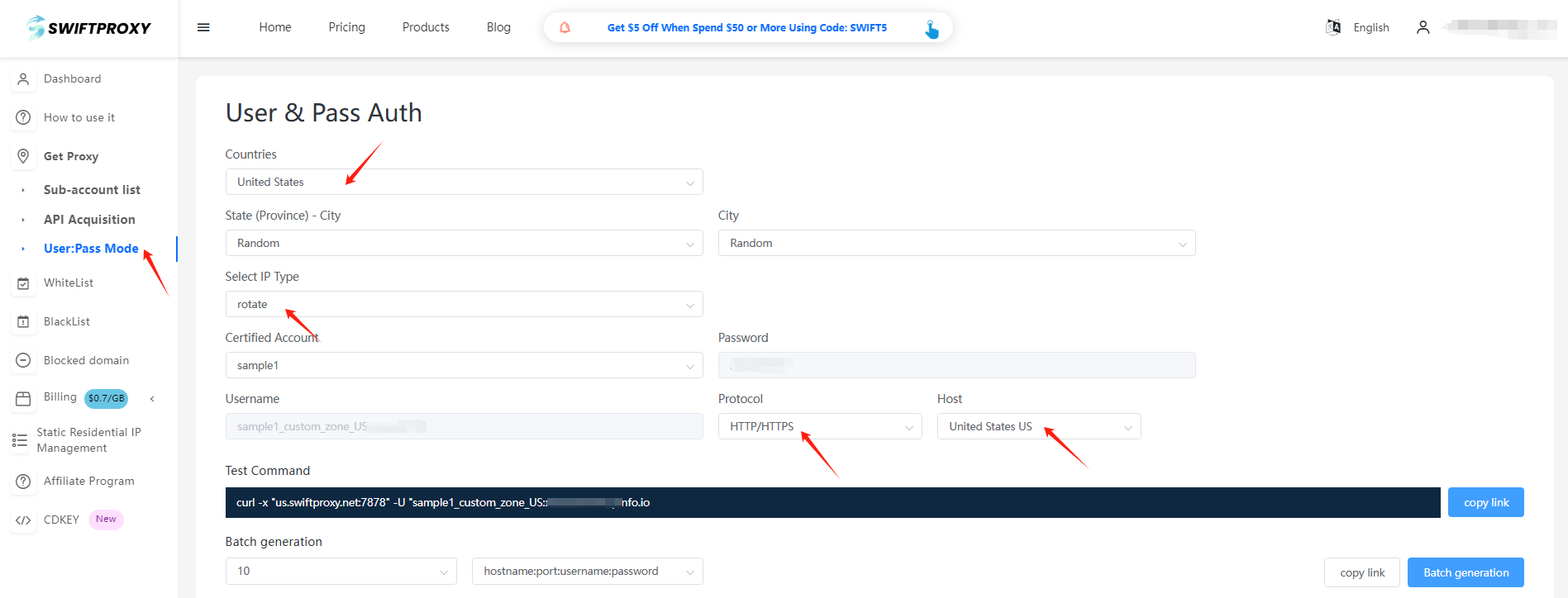
1.Register and log in to Swiftproxy and enter the dashboard
2.configure your proxies. We are using Random IPs from United States of America with IP rotation on each request using HTTP/HTTPS protocol in this case.
Step 2: Configure the proxy in Waterfox Browser
1. Download Waterfox Browser
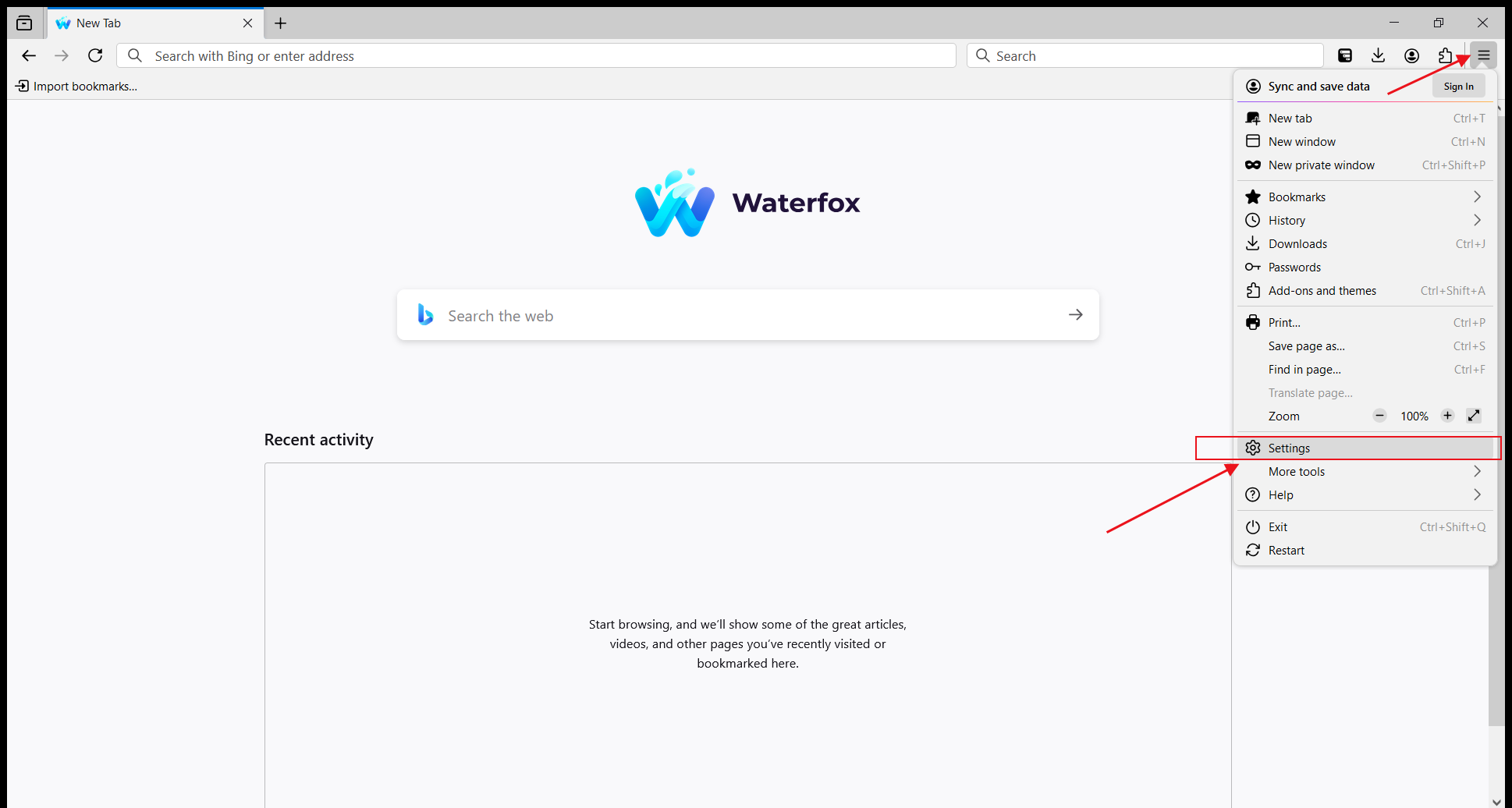
2. Open Waterfox, click the menu in the upper right corner, and select "Settings".
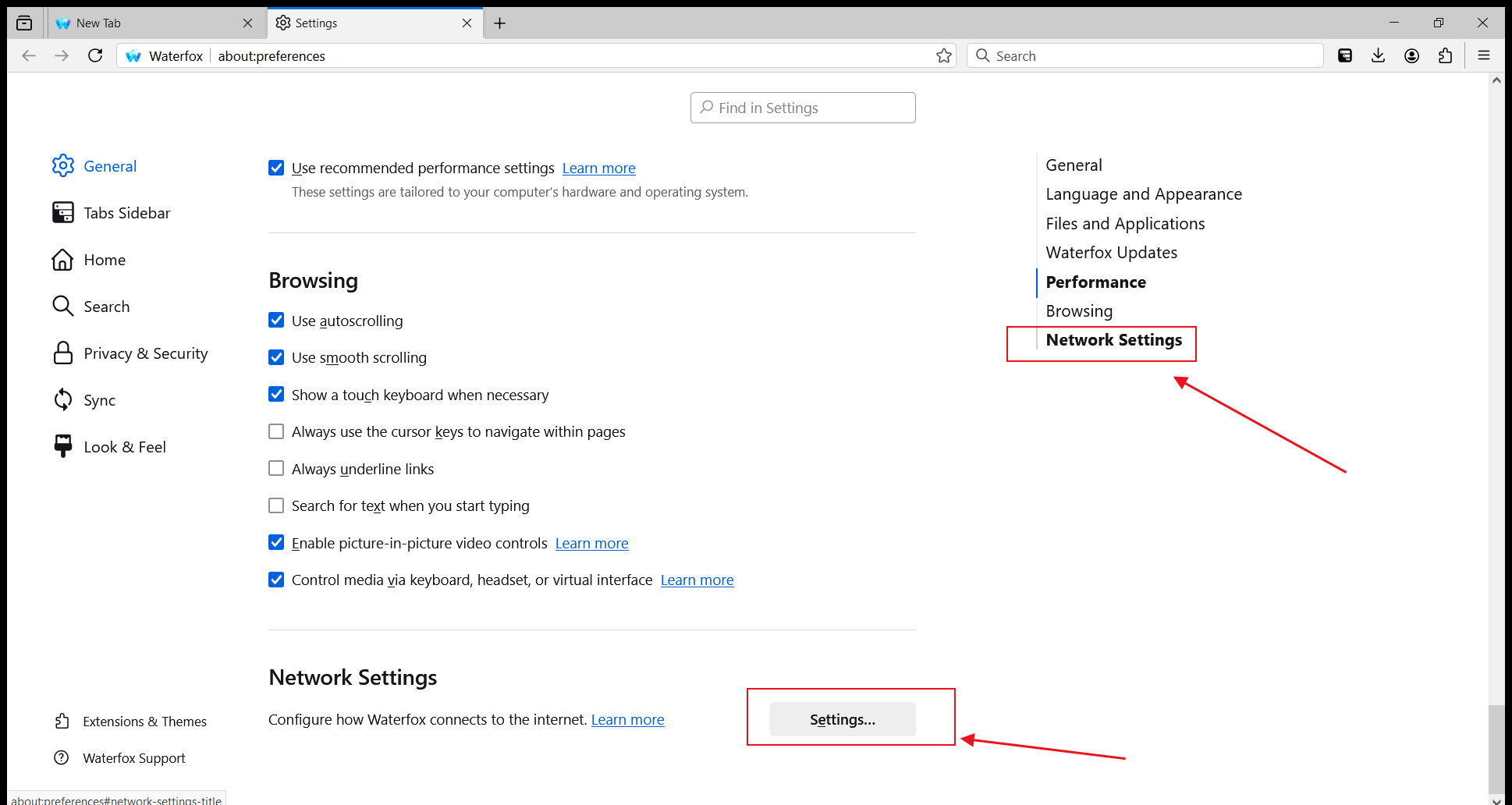
3. In the options on the right, select "Network Settings" and click to enter the settings.
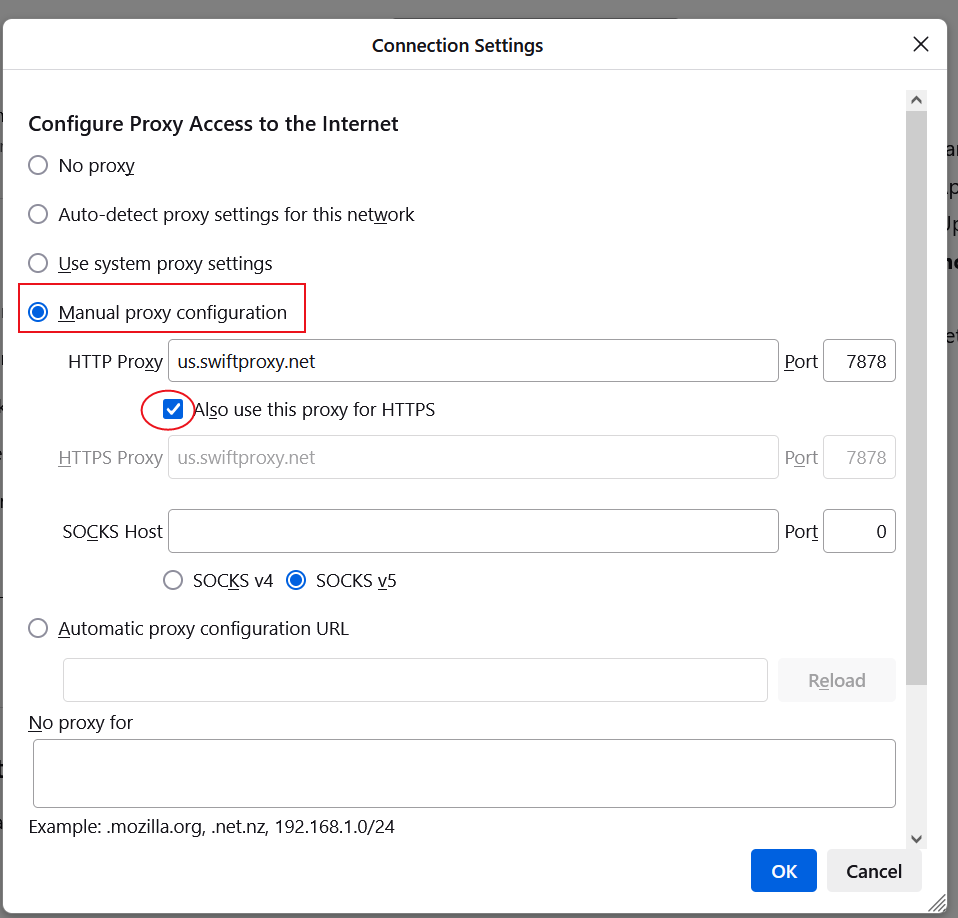
4. In "Connection Settings", select "Manual proxy configuration", then fill in the HTTP proxy server address and port number provided by Swiftproxy and check "Also use this proxy for HTTPS".
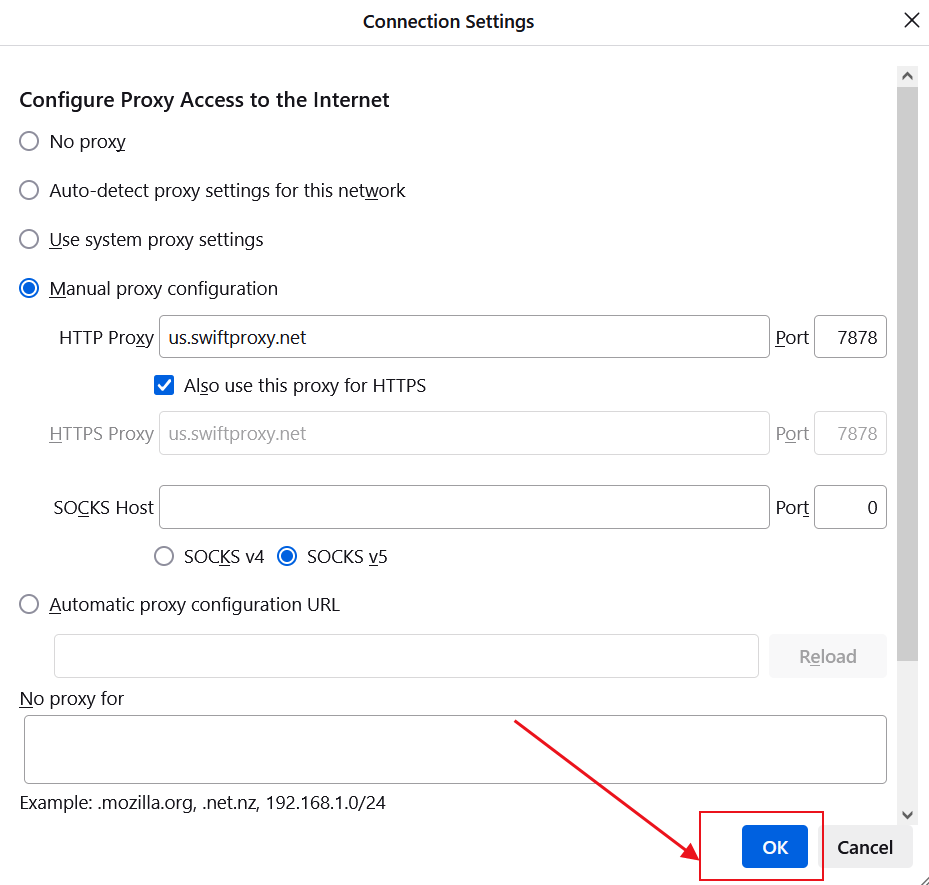
5. Click "OK" to save the settings.
6. Next, when you open a new page, a proxy username and password login reminder will pop up. Fill in the corresponding information in sequence and click "Sign in".
About the author
 Top-tier residential proxy solutions
 {{item.title}}
Related articles

 2668
2668


- Please provide your account number, or email address.
- Provide videos or screenshots, and simply describe the problems you are facing.
- Our staff will reply to your message within 24 hours.



