
 English
 EN
EN FRENCH
 繁体中文
繁体中文





Configuring Mbbrowser with Swiftproxy

Why Choose Mbbrowser?
Mbbrowser is a fingerprint browser designed for multi-account management and privacy protection, with the following core advantages:
- Professional anti-association capability: Provides an independent browser fingerprint environment to effectively isolate browsing data of different accounts
- Proxy integration advantage: Natively supports proxy protocols such as SOCKS5/HTTP, and can seamlessly connect to residential proxy services such as Swiftproxy.
- Outstanding cost-effectiveness: Compared with similar products, it has more focused functions and more competitive prices.
Configuring Mbbrowser with Swiftproxy
Step 1: Get proxy information
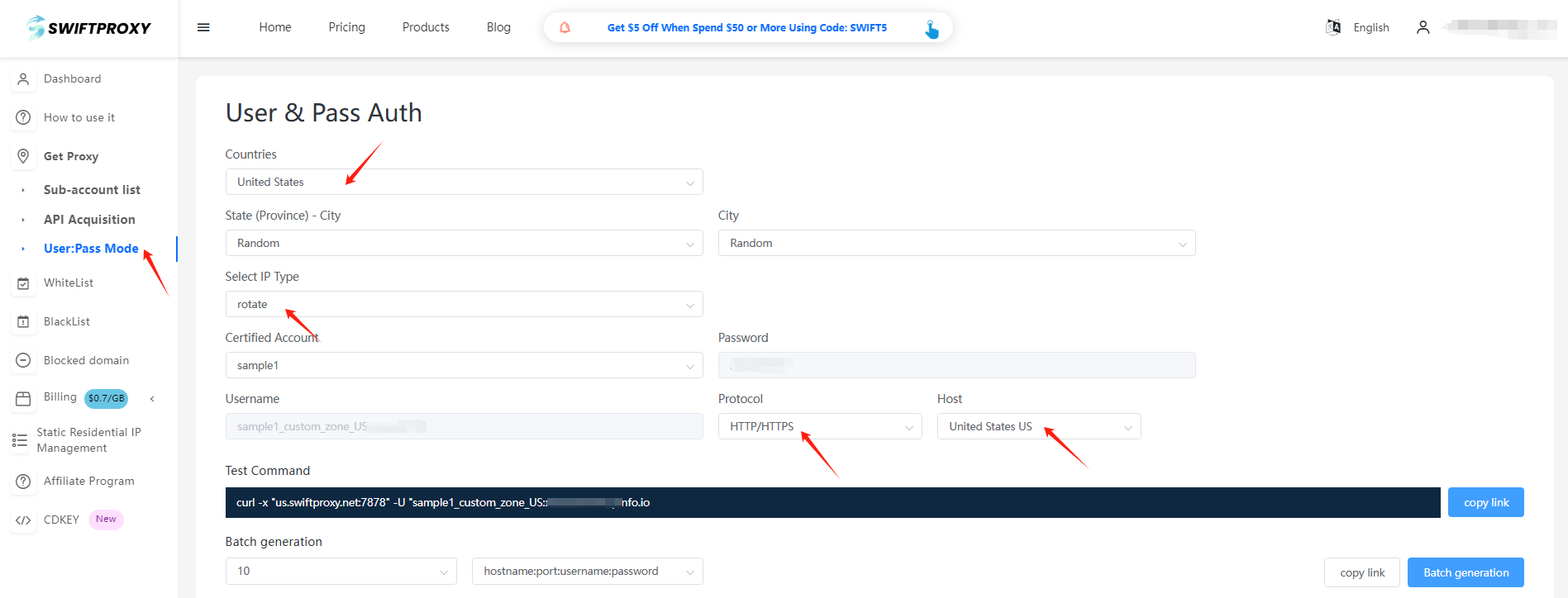
1.Register and log in to Swiftproxy and enter the dashboard
2.configure your proxies. We are using Random IPs from United States of America with IP rotation on each request using HTTP/HTTPS protocol in this case.
Step 2: Configure Swiftproxy in Mbbrowser
1. Download Mbbrowser
2. Register and log in
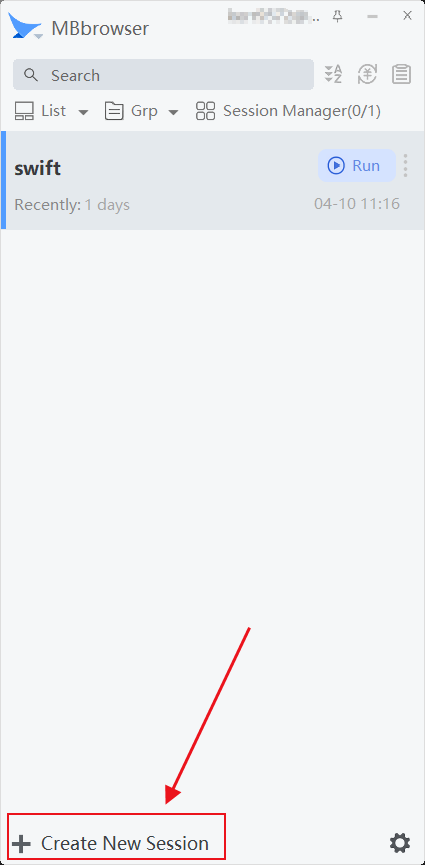
3. Click the "Create New Session" button to start the setup.
2. After creating the "Session Name", select the proxy protocol in "Proxy Server". It should be noted that the proxy protocol should be consistent with the proxy credentials you created.
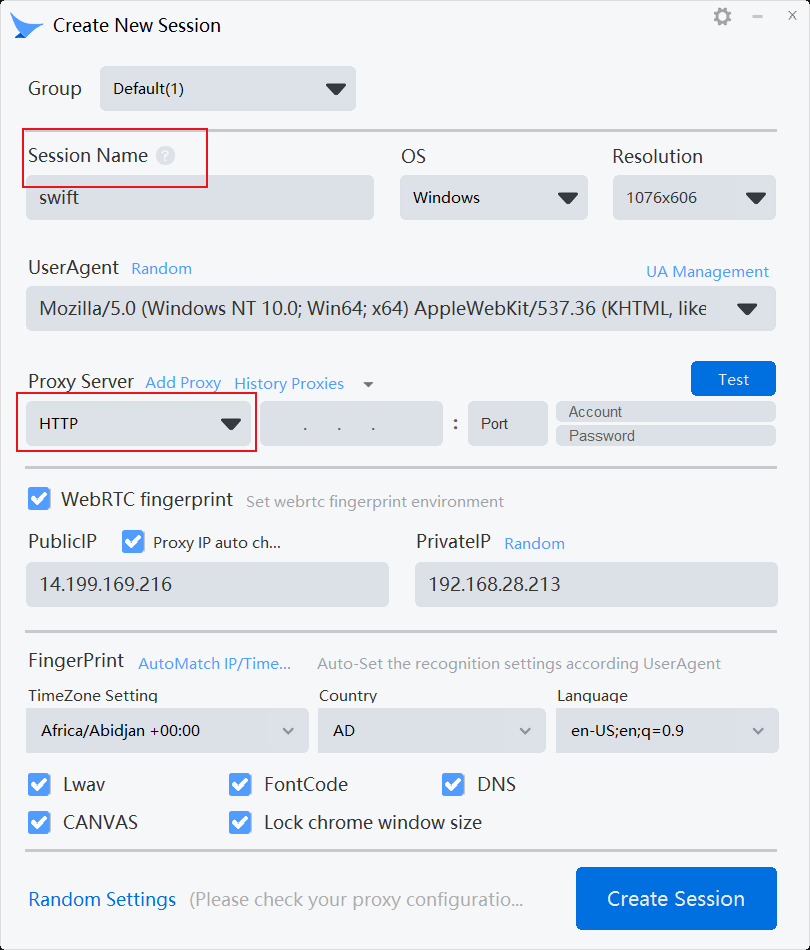
3. Paste the proxy information we obtained one by one.
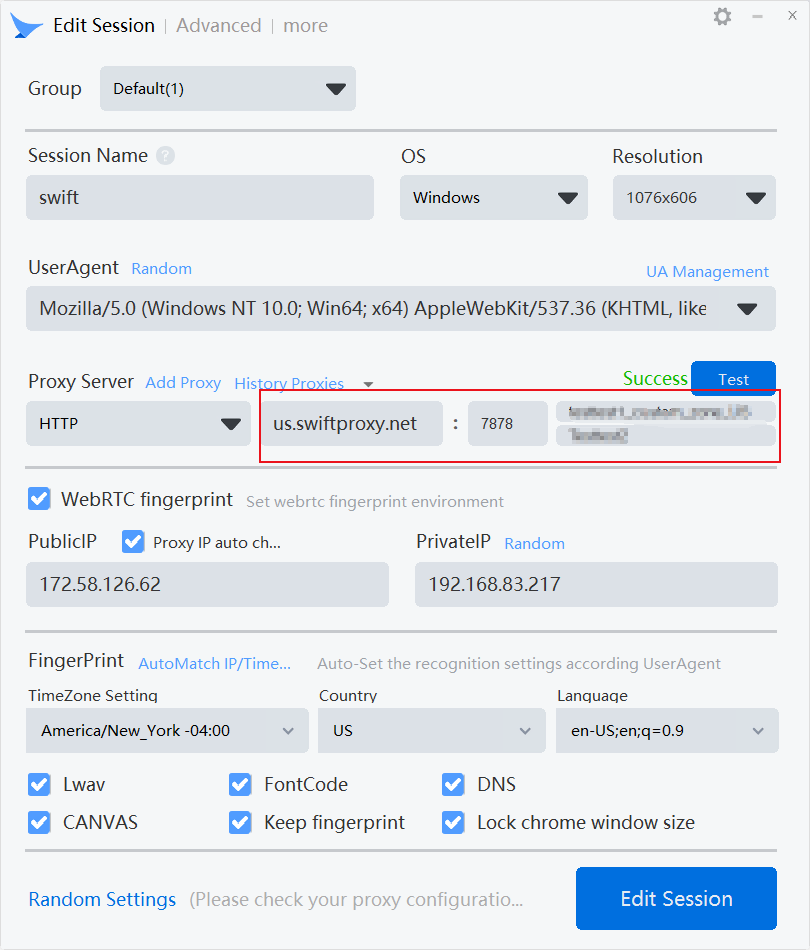
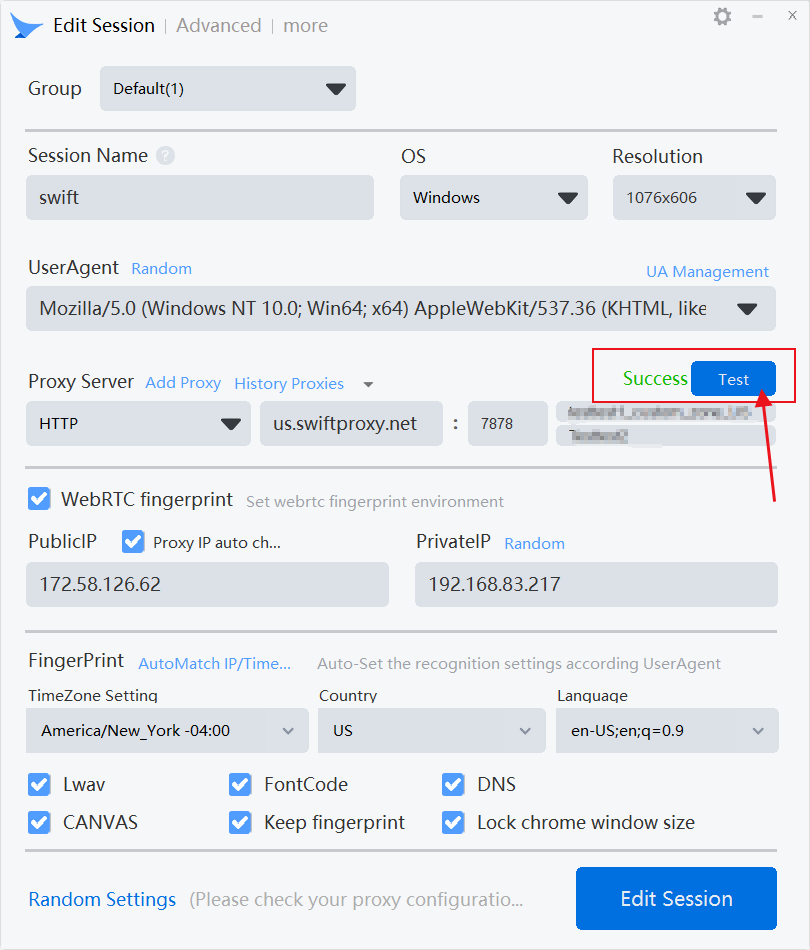
4. Click "Test" to check the proxy.
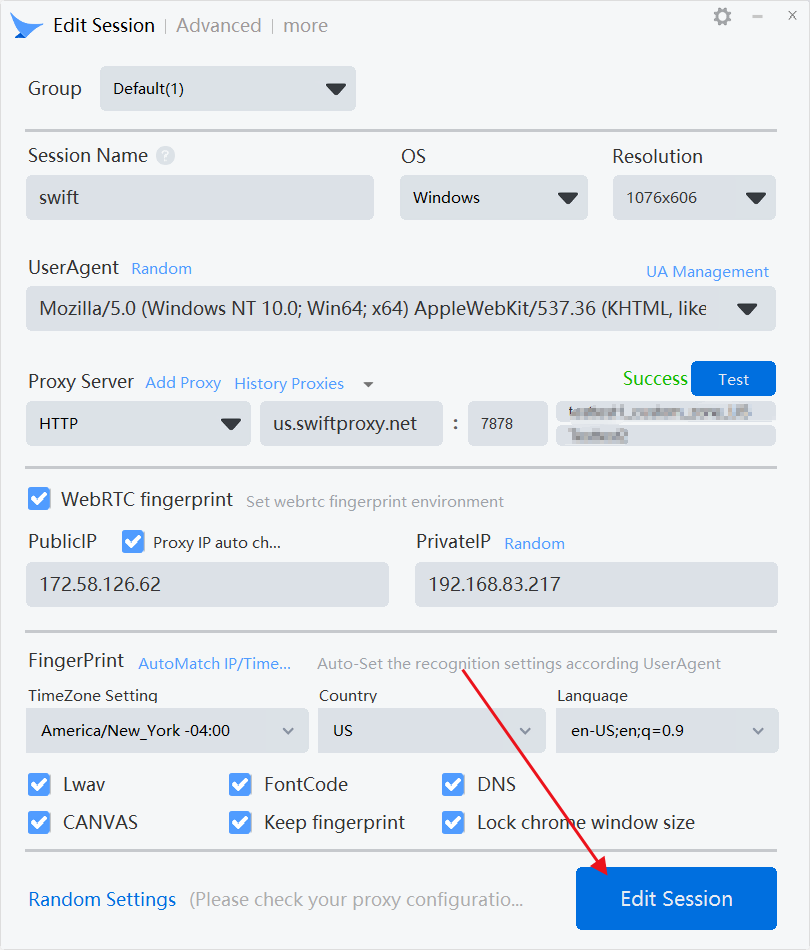
5. Finally, click "Create Session" to complete the creation.
About the author
 Top-tier residential proxy solutions
 {{item.title}}
Related articles

 2668
2668


- Please provide your account number, or email address.
- Provide videos or screenshots, and simply describe the problems you are facing.
- Our staff will reply to your message within 24 hours.



