
 English
 EN
EN FRENCH
 繁体中文
繁体中文





Configuring ClonBrowser with Swiftproxy

Configuring ClonBrowser with Swiftproxy
Anti-detect browsers have become increasingly popular in recent years thanks to their ease of use and flexibility. They allow users to manage multiple accounts on different platforms from a single device. These browsers are particularly favored by professionals in e-commerce, advertising, and web testing industries.
This time, we will discuss ClonBrowser, its main features, and the steps to configure ClonBrowser using Swiftproxy.
Anti-detect browsers have become increasingly popular in recent years thanks to their ease of use and flexibility. They allow users to manage multiple accounts on different platforms from a single device. These browsers are particularly favored by professionals in e-commerce, advertising, and web testing industries.
This time, we will discuss ClonBrowser, its main features, and the steps to configure ClonBrowser using Swiftproxy.
What is ClonBrowser?
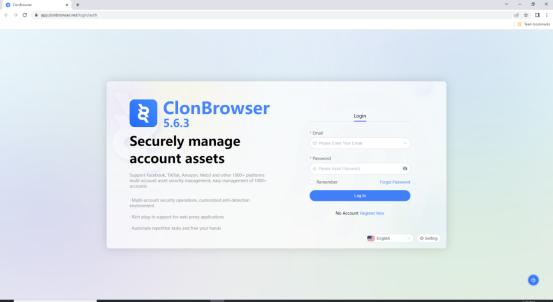
ClonBrowser anti-detection browser is the only full-featured free and allows users to edit and control the browser fingerprints and other information, support for multi-agent protocols, you can dock any platform for multi-account management.
Configuring ClonBrowser with Swiftproxy Residential Proxy
1. Download the appropriate version of ClonBrowser then create an account.
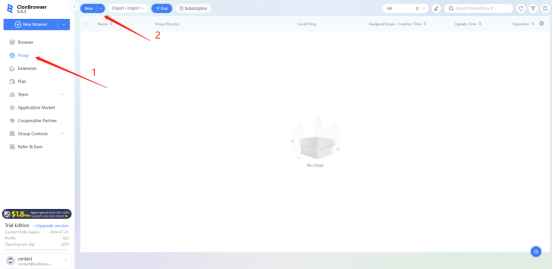
2. To configure your proxies, first select "Proxy", Then, click on "New" to add proxy.
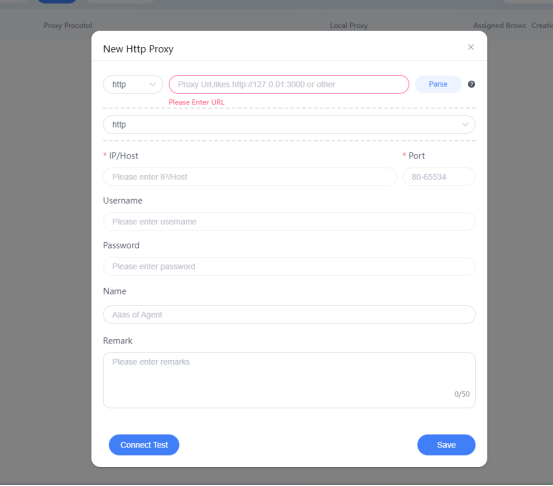
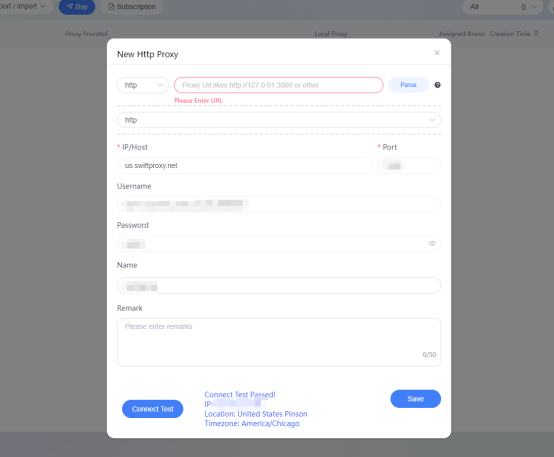
3. A new window will appear, allowing you to enter your proxy credentials.
4. Now, visit the Swiftproxy dashboard and configure your proxies. We are using IPs from Alabama/The United States with IP rotation on each request using HTTP/HTTPS protocol in this case.
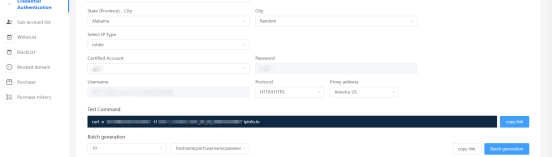
5. Copy your credentials from the Swiftproxy dashboard to ClonBrowser as shown below then hit “Save” at the bottom right corner. You may tap the “Connect Test” to check if the proxy is set up successfully.
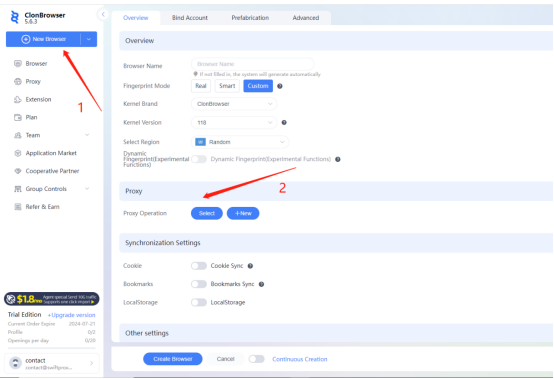
6. Click "New Browser", scroll down a bit then select the Proxy.
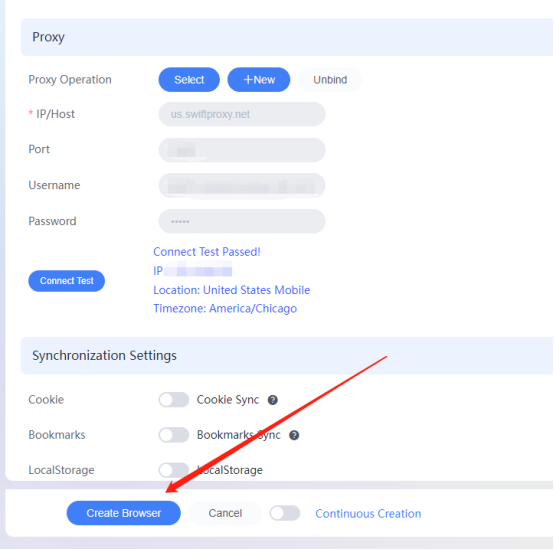
7. Select the Proxy settings we configured previously then hit “Create Browser".
8. Tap "Launch" to start browsing using Swiftproxy’s residential proxy service via ClonBrowser.
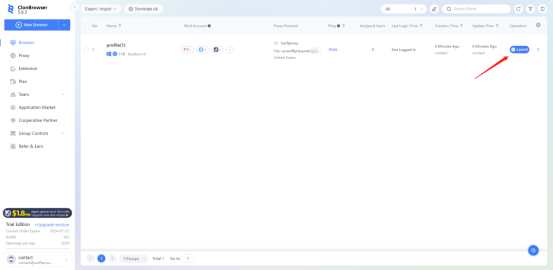
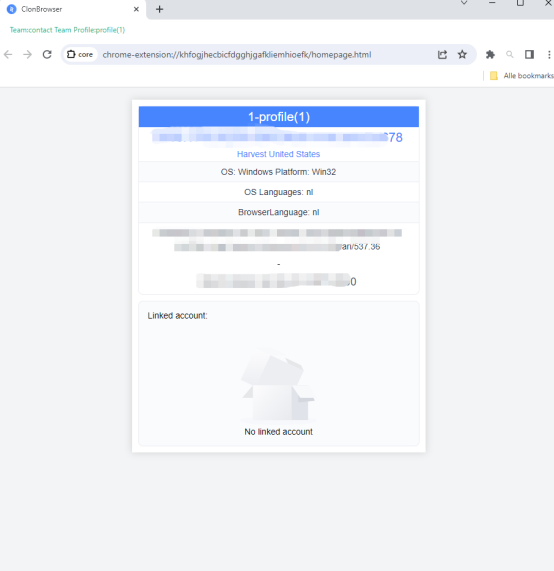
9. After launching, the page window would pop up, the first page you see will be the IP checker provided by ClonBrowser.
Configuring ClonBrowser with Swiftproxy Static Proxy
1. The first three steps are the same as the first three steps of the previous part
2. Then, visit the Swiftproxy dashboard and copy Username, Password, Hostname and Port.
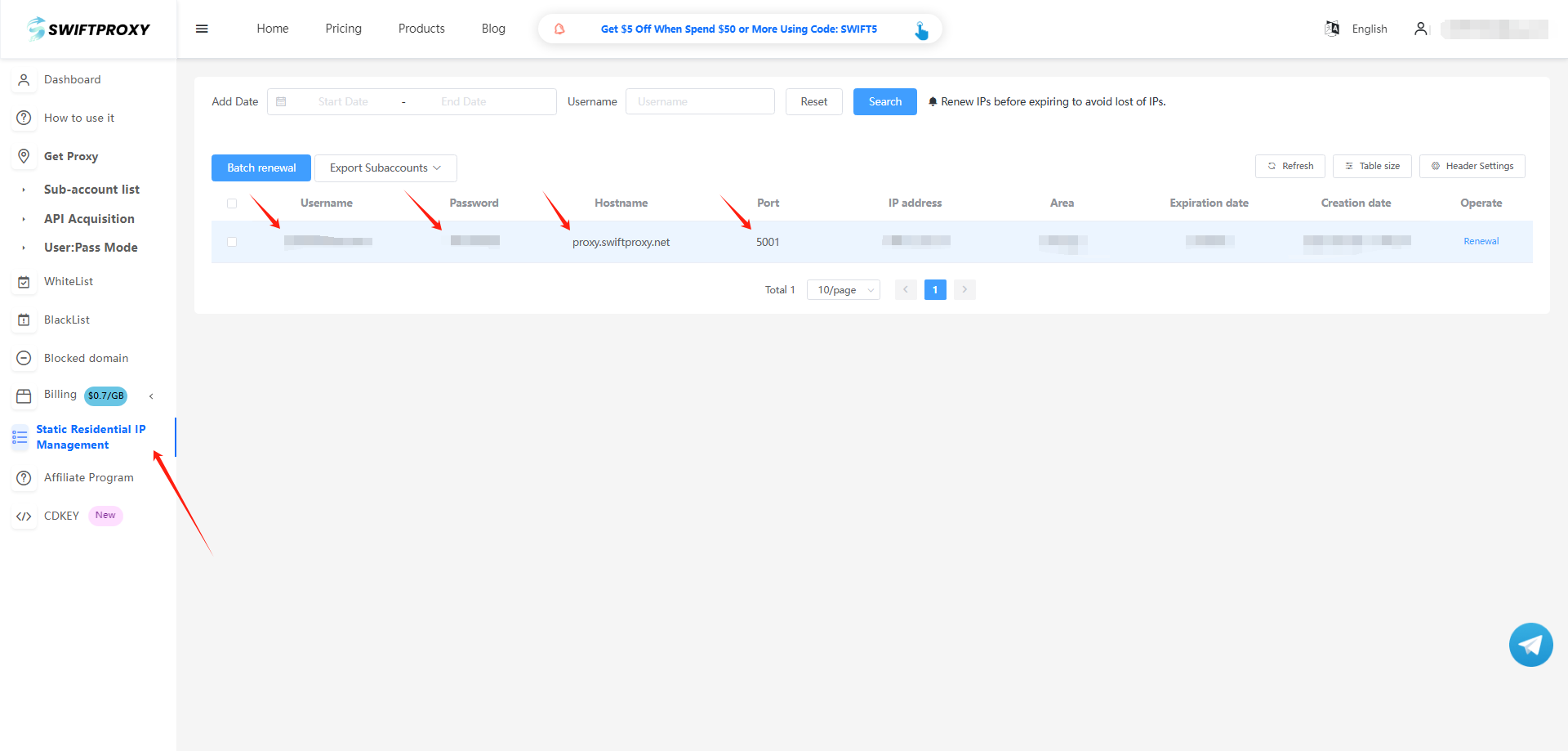
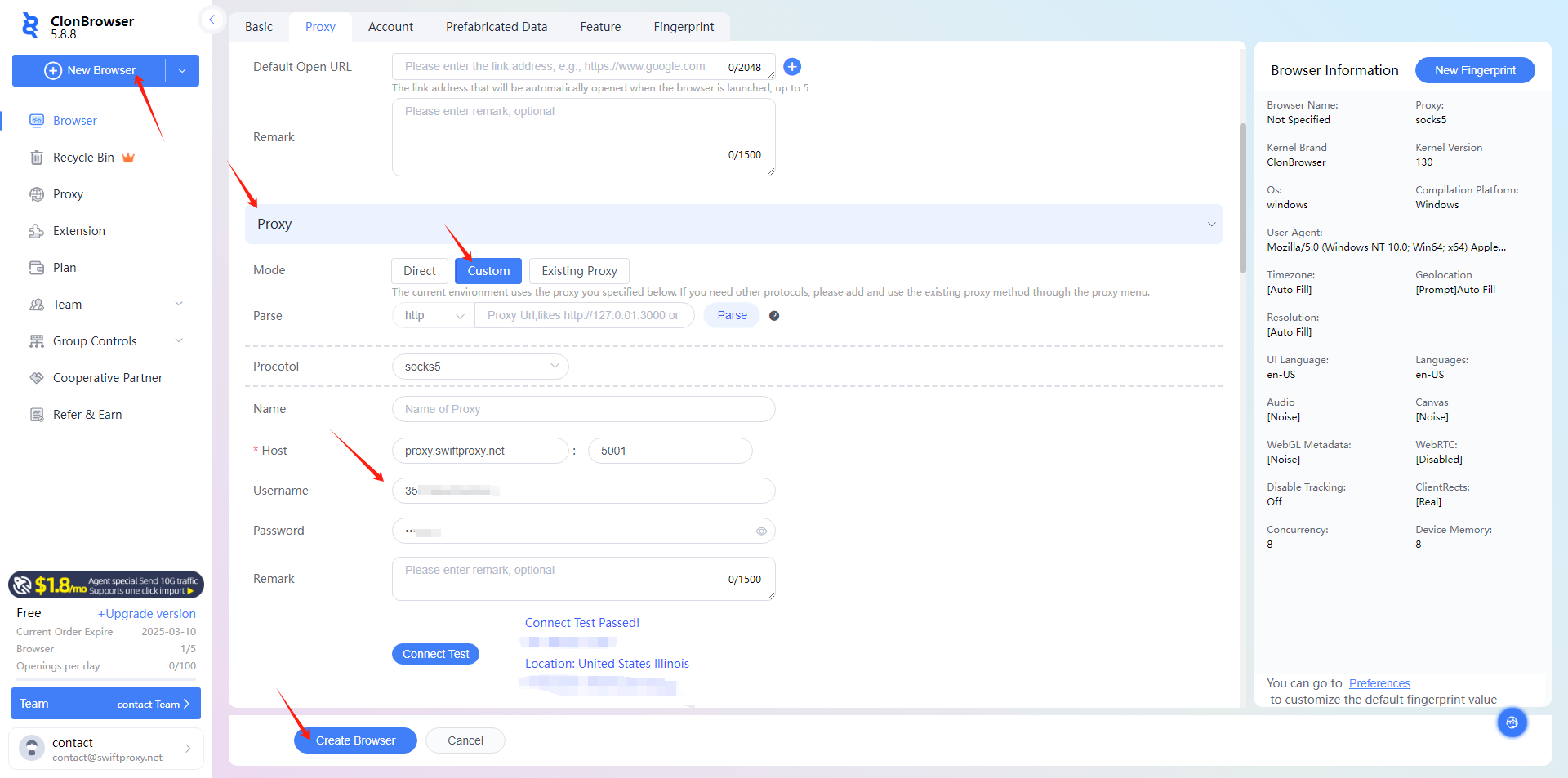
3. Back to Proxy configuration in Clonbrowser, click "New Browser", scroll down a bit then select the Proxy, and paste the proxy information we copied from Swiftproxy dashboard, click "Create Profile" in the end.
4. Tap "Launch" to start browsing using Swiftproxy's static proxy service via ClonBrowser.
About the author
 Top-tier residential proxy solutions
 {{item.title}}
Related articles

 2668
2668


- Please provide your account number, or email address.
- Provide videos or screenshots, and simply describe the problems you are facing.
- Our staff will reply to your message within 24 hours.



