
 English
 EN
EN FRENCH
 繁体中文
繁体中文





The Power of BitBrowser: Streamlining Multi-Account Management for Global Operations
BitBrowser is a multi-account management tool designed for cross-border e-commerce, social media, and Web 3.0 businesses. It isolates each browser window using independent computer information and proxy IPs, ensuring account security. In addition, BitBrowser supports logging into multiple accounts simultaneously, integrates cloud phone functionality, and offers batch operations, proxy settings, and RPA automation features to improve account management efficiency. It is suitable for global proxy IP usage.

What does BitBrowser do?
BitBrowser mainly realizes: multiple browser windows, multiple accounts (FB/TK/X/WS..), to prevent the occurrence of associated accounts between windows. Each window simulates independent computer information and proxy IP addresses to make the environments independent and isolated from each other, thereby improving account security! Deeply developed using Google and Firefox kernels, it achieves a safe and pure environment effect at the physical level. There is 100% no correlation between browser windows. With the multi-employee collaborative management function, it improves your account security and operational efficiency!
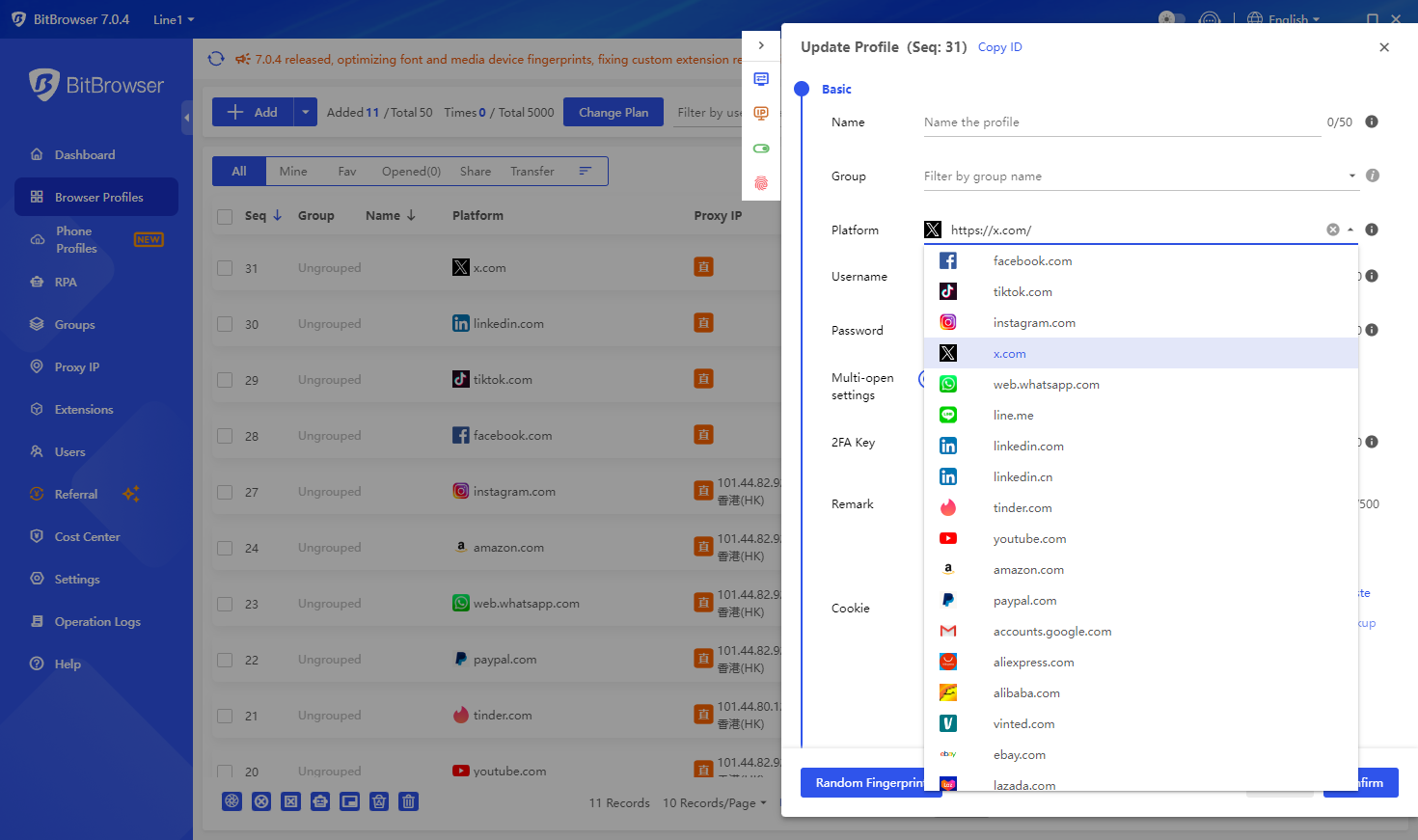
What is the difference between BitBrowser and ordinary browsers?
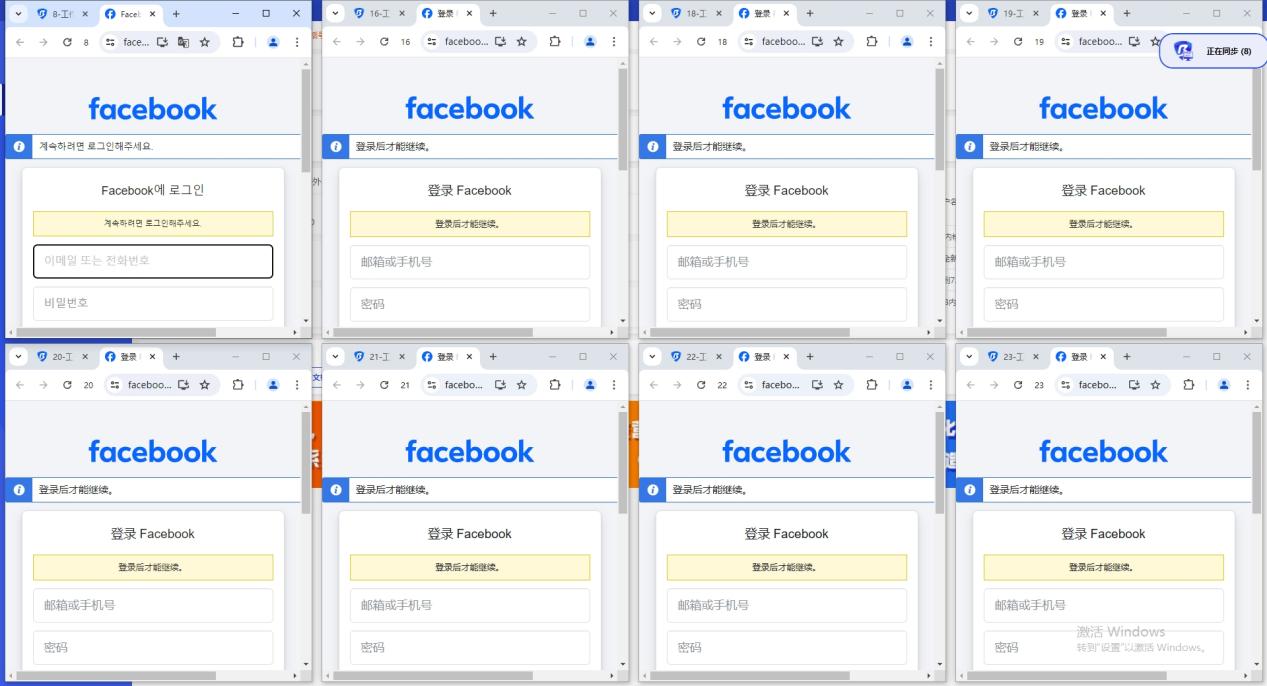
BitBrowser can log in to multiple accounts to prevent association. When you open BitBrowser, you can open multiple accounts on the same platform in the browser window to reduce the risk of unrelated accounts.
Which businesses are suitable for BitBrowser?
In the cross-border e-commerce industry, you can open multiple store windows to log in to multiple store accounts.
For social media account maintenance, etc., do social media account matrix, maintenance and other operations.
For web3.0 virtual business, it has a good effect of preventing multiple logins from being associated, and can also protect local privacy, blockchain, etc.
For advertising placement/SEO optimization, etc., it protects local information very well. Supports changing addresses to protect local information, etc. Research work, etc.
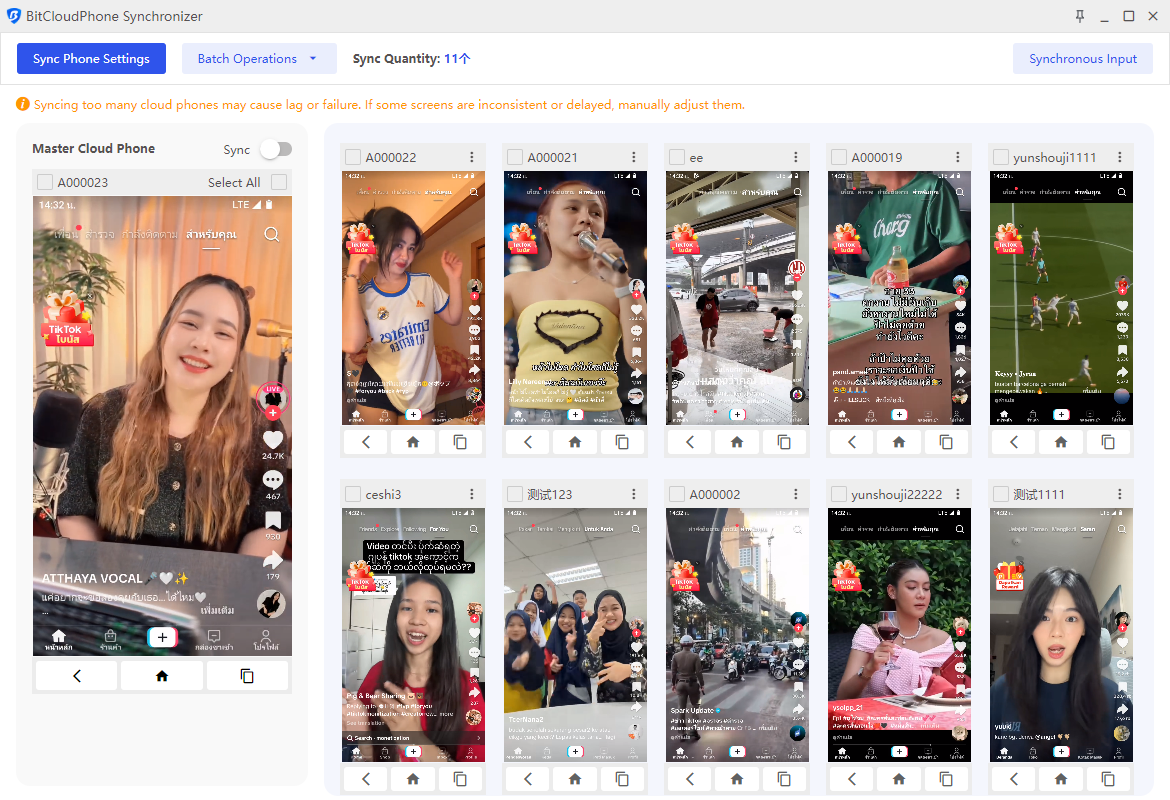
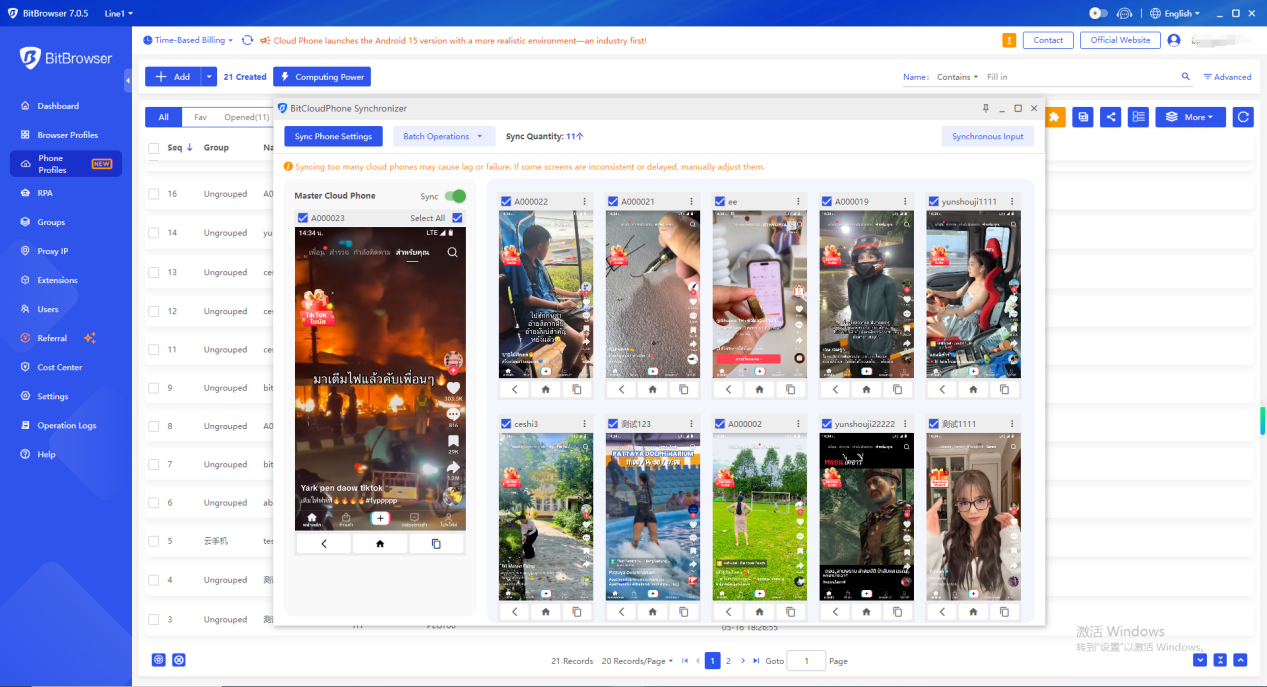
BitBrowser also integrates cloud phone functionality:
Matching a vast array of real phone parameters, one device allows you to easily manage multiple cloud phones!
Simple configuration: Simply configure a proxy to easily access major global apps. Supports one-click new devices for efficient mobile environment rotation!
1. Simple and Fast Phone Profiles Configuration
Automatically match real phone parameters to efficiently complete overseas environment configuration! Configure a proxy IP for your environment with a single click, creating a fast, stable, and secure network environment. Native support for Google Play ensures seamless access to international apps and services.
2. Simulating a Vast Array of Parameters, Authenticating Environments
Simulating a vast array of parameters, using real phone chipsets, provides a more realistic overseas phone environment. Automatically matches core settings such as language, time zone, location, carrier, and SIM information based on IP addresses. Supporting over 600 global carriers, automatically simulates SIM information, and emulates various phone sensor parameters.
3. Easily Set Sub-Account Permissions for Convenient Account Asset Management
Flexibly assign permissions to team sub-accounts and dynamically adjust the number of mobile environments a sub-account can use for efficient account asset management.
Flexibly adjust the number of mobile environments to maximize operational costs. Sub-accounts operate independently, maximizing the use of idle resources and improving environment utilization. Easily acquire a large number of overseas customers and implement matrix marketing!
How to use BitBrowser?
The method of using BitBrowser, Bit Fingerprint Browser supports 10 profiles for free (10 profiles are set up and opened), and it is necessary to carry static/dynamic proxy IP to the window to set it, and the local environment starts global mode. Only after the fingerprint is generated can it operate normally. If the proxy is not set, the local proxy is used. If 10 browser are not enough, you need to purchase a membership package.
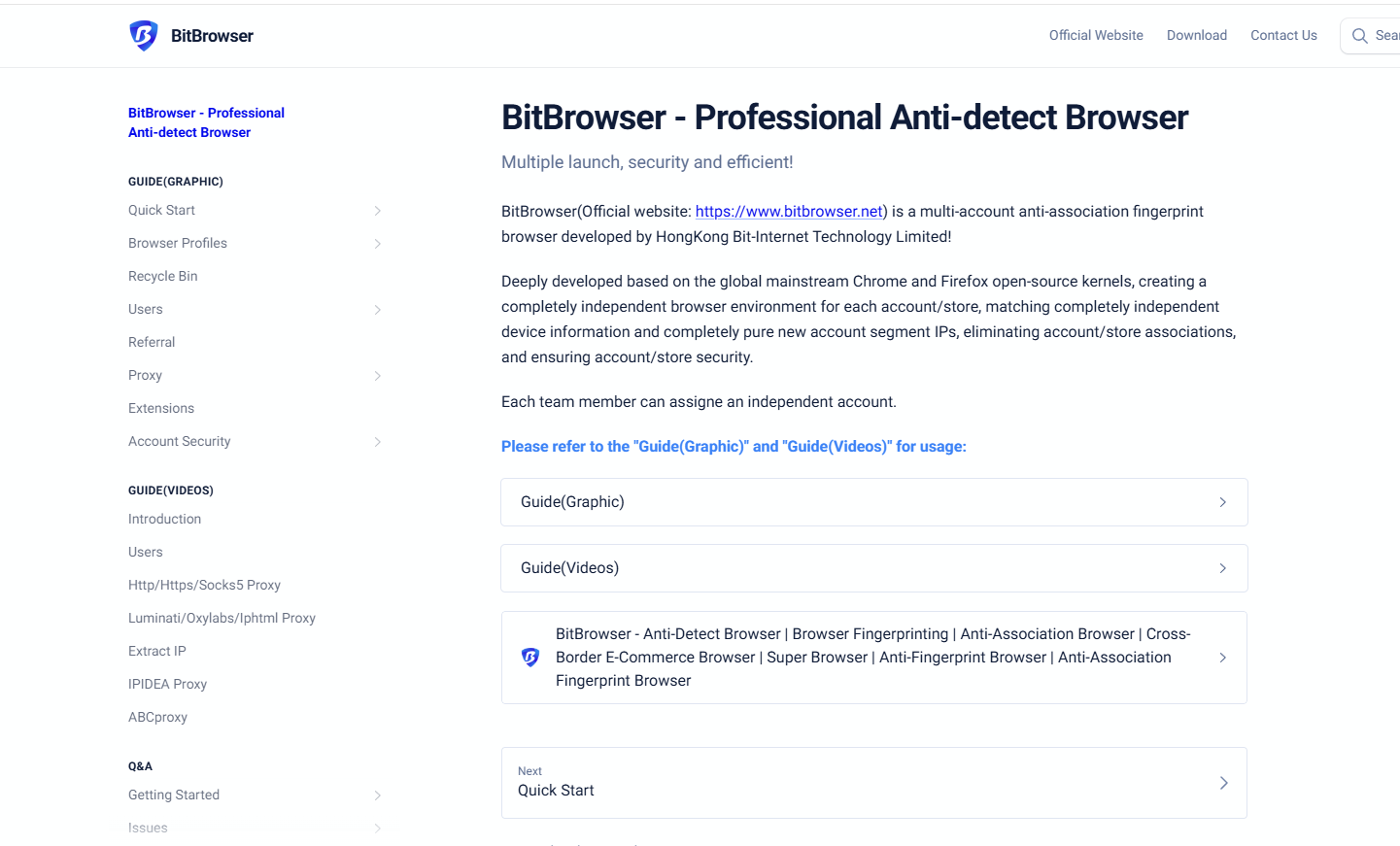
What are the functions of BitBrowser?
For details, please see the official website link:
https://www.bitbrowser.net/?code=5df4f4ec
One-click synchronization: control multiple windows at the same time.
Proxy settings: support global proxy environment construction. Static/dynamic.
Google/Firefox kernel: supports deep kernel development. You can switch to use the kernel in the browser.
RPA automation: you can set up automation programs for the creation port, and automatically perform simple and brainless work.
API interface: Local API :The software comes with local services, which supports users to operate the software window and run automation scripts through the Local API interface call.
Script market: provides the ecology of the script market and provides a publishing section for more users and developers.
Batch operation function
Window batch import/export: batch creation and upload, download the template and fill it out and upload it directly.
Cookies batch import and export: support selecting multiple windows to batch download or export cookies.
Batch proxy setting: batch proxy/window fingerprint setting.
Batch remote operation: support sub-account setting. Employee allocation and collaborative operation.
Summary:
BitBrowser can be used in various cross-border business scenarios. Using BitBrowser, you can log in to more accounts without any association with each other. Multi-account management is inseparable from the powerful anti-detection function of BitBrowser. It is permanently free for use in 10 profiles, safe and efficient multi-account management, employee allocation, and suitable for proxy IP use anywhere in the world.
Official Website
Chinese: https://www.bitbrowser.cn/?code=5df4f4ec
Languages around the world: https://www.bitbrowser.net/?code=5df4f4ec
About the author
 Top-tier residential proxy solutions
 {{item.title}}
Related articles

 426
426


- Please provide your account number, or email address.
- Provide videos or screenshots, and simply describe the problems you are facing.
- Our staff will reply to your message within 24 hours.



