
 English
 EN
EN FRENCH
 繁体中文
繁体中文





Cookie Manager in Afina: Import, Export, and Session Isolation
Cookies keep you logged in, preserve carts, settings, and session state. When you run dozens of accounts at once, the question is no longer how to save cookies, but how to keep them from mixing between profiles. Afina Browser solves this with strict environment isolation and a set of tools for importing, exporting, and automatically collecting cookies. In this overview we'll break down how the cookie manager in Afina works: why every profile is isolated, how to load ready-made sets, how to export cookies for one account or many, and how to hand off routine warm-up to the Cookie Robot.

What Afina Browser Is
Afina is an antidetect browser built for running many accounts inside a single workspace. Each account lives as a separate profile with its own fingerprint, proxy, and dedicated data storage.
Afina supports several core cookie workflows:
- manual import of ready-made cookie sets into a profile
- export of cookies from one account or many at once
- automatic session collection through the Cookie Robot
Together these tools cover the full cycle: from migrating existing sessions to generating new ones without manually opening a single page.
Why Cookie Isolation Matters
The core idea behind the cookie manager in Afina is the boundaries between accounts. Each profile gets its own environment for cookies, cache, and local data, so there is no overlap between accounts.
Here's what that means in practice:
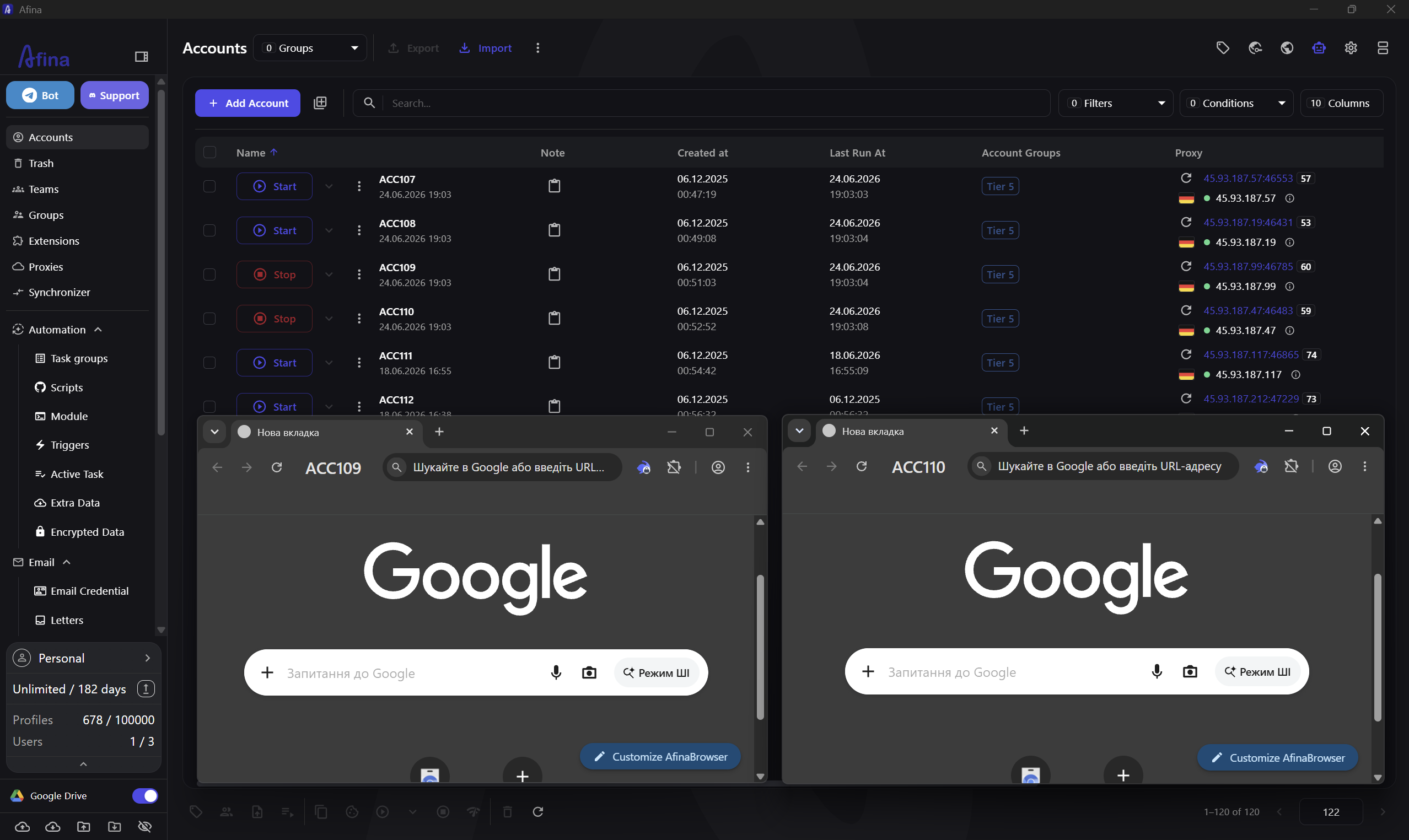
- one account's cookies never end up in another account's session
- cache and local data are stored separately for each profile
- you can keep many accounts on the same service without ever mixing them
Isolation is exactly what makes import and export safe: wherever you load a cookie set, it applies only to the selected profile.
Importing Cookies
Import is what you need when you already have saved sessions and want to move them into a specific profile. Afina accepts files in JSON or TXT format.
Here's the import process step by step:
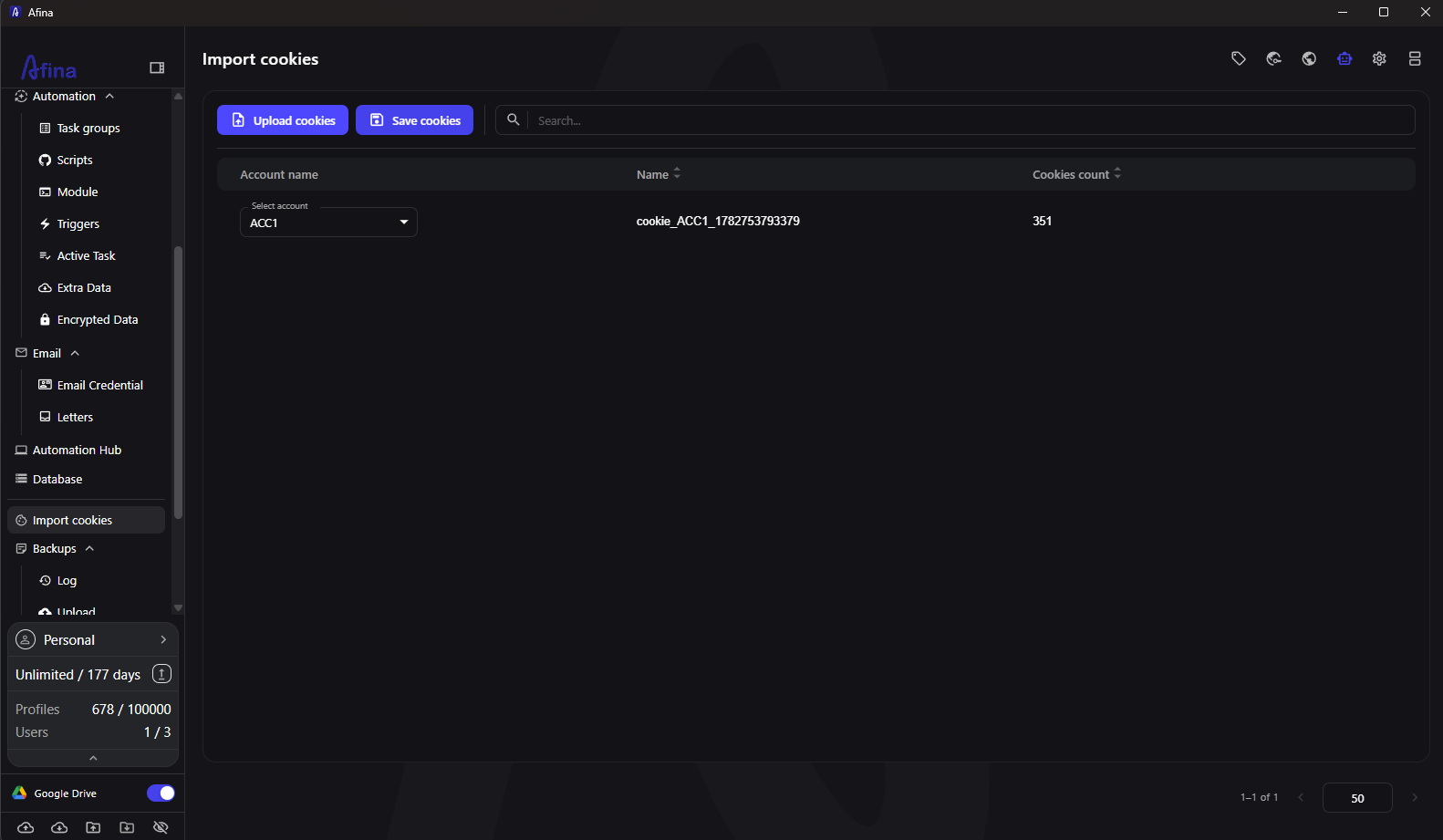
- open the "Import cookies" section in the left-hand panel
- click "Upload cookies" and pick the JSON or TXT file you need
- a row with the cookie set appears in the table
- in the "Account name" column, expand "Select account" and choose the profile
- click "Save cookies"
The data takes effect the next time you launch the profile. For a closer look at the process, see the [cookie import guide].
Exporting Cookies
Export lets you pull cookies out of accounts in JSON format to keep a backup or move sessions elsewhere. Afina supports both single-profile export and bulk export.
For a single account, the steps are:
- open the "Accounts" section
- in the row of the profile you need, click the ⋮ icon
- choose "Export cookies"
- pick a folder and save the file
For bulk export, check the boxes next to the accounts you want, then click the ⋮ icon in the top action bar and choose "Export cookies". Afina creates a separate JSON file for each profile, so the sets never get mixed. Cookies also travel together with profile and proxy settings during bulk export or import of accounts via TXT. For step-by-step help, see the [cookie export documentation].
Automatic Cookie Collection (Cookie Robot)
When you need fresh sessions and have no ready-made sets, the Cookie Robot steps in. It visits the sites you specify on its own and generates cookies without manually opening any pages.
Launching a collection run looks like this:
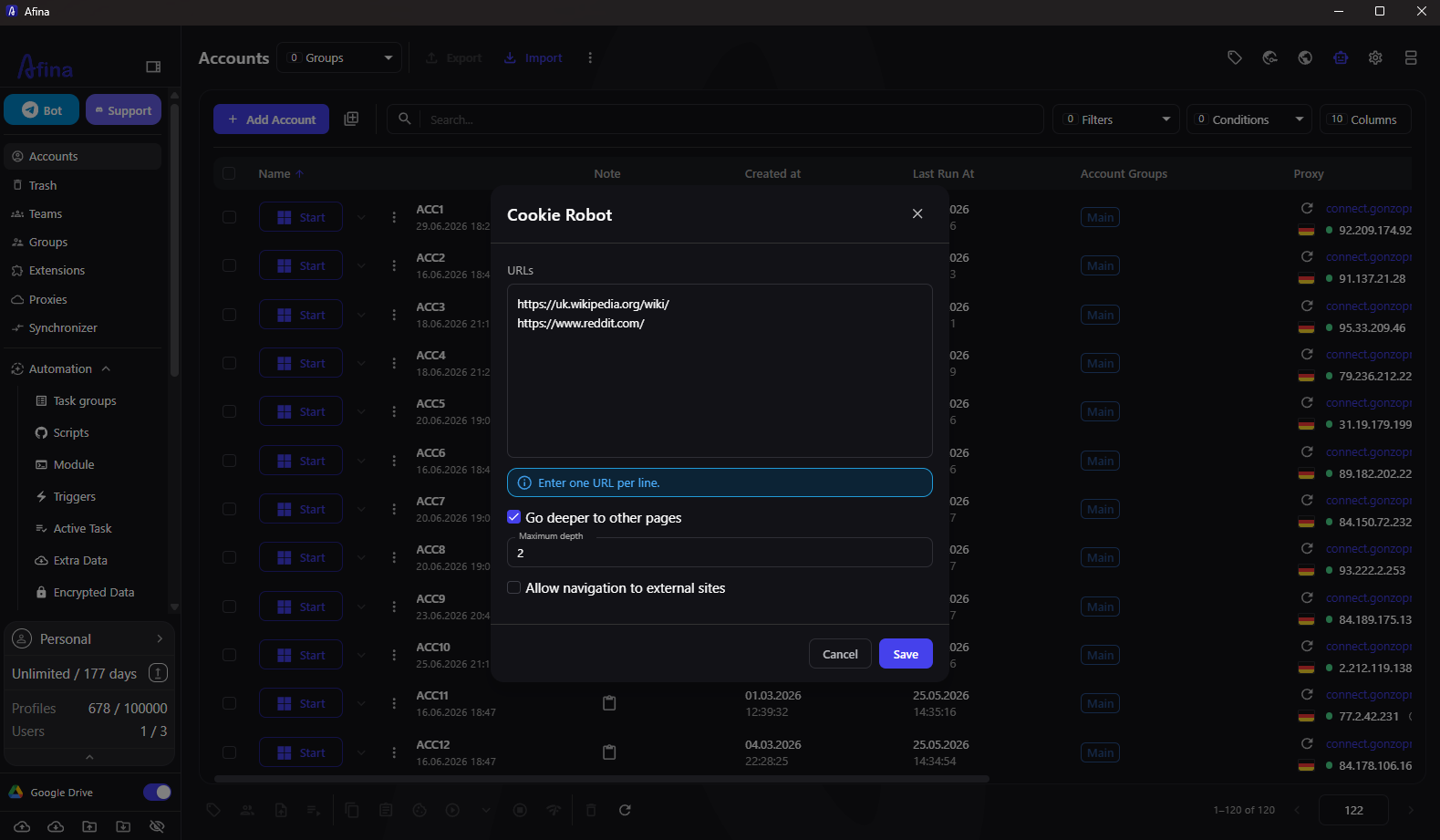
- next to the account you need, click the ⋮ icon and choose "Cookie Robot"
- enter the URLs, one site per line
- if needed, turn on "Browse deeper into other pages" and set the "Maximum depth"
- optionally enable "Allow navigation to external sites"
- click "Save"
Collection starts automatically, and the profile receives the generated sessions hands-free. The finer points of configuration are covered in the [Cookie Robot section].
Promo codes for new users:
- SALE20 - 20% off all plans except Max
- SALE30 - 30% off the Max plan
FAQ
What format does Afina import cookies in?
Afina accepts files in JSON or TXT format. You upload the file in the "Import cookies" section, attach the set to the profile you need, and save it, after which the data takes effect on the next launch.
Can I export cookies from several accounts at once?
Yes. Check the boxes next to the accounts you want, open the ⋮ icon in the top action bar, and choose "Export cookies". Afina will create a separate JSON file for each profile.
Can one account's cookies leak into another?
No. Every profile has its own isolated environment for cookies, cache, and local data, so there is no overlap between accounts. An imported set applies only to the selected profile.
What is the Cookie Robot for?
The Cookie Robot automatically visits the sites you specify and generates sessions without manually opening any pages. It comes in handy when you need fresh cookies but have no ready-made sets to import.
Do cookies transfer along with profile settings?
Yes. During bulk export or import of accounts via TXT, cookies transfer together with profile and proxy settings.
About the author
 Top-tier residential proxy solutions
 {{item.title}}
Related articles

 489
489


- Please provide your account number, or email address.
- Provide videos or screenshots, and simply describe the problems you are facing.
- Our staff will reply to your message within 24 hours.



