
 FRENCH
 EN
EN FRENCH
 繁体中文
繁体中文





Why Residential Proxies Fail and How to Fix Them
Learn why residential proxies fail, how to diagnose HTTP errors and rate limits, and best practices to fix connection issues and restore proxy stability.

Your residential proxies worked perfectly when you first configured them. A few days later, requests start failing, CAPTCHAs increase, or the target website suddenly returns 403 and 429 errors.
That does not necessarily mean your proxies are dead. In many cases, the real problem is authentication, IP reputation, session settings, request frequency, or how the target website reacts to your traffic.
Here is how to find the cause and fix it.
Why Residential Proxies Suddenly Stop Working
A residential proxy can remain online while a website refuses its requests. Modern websites evaluate more than the IP address, including request patterns, cookies, browser fingerprints, session behavior, and connection frequency.
As a result, a proxy that worked yesterday may suddenly produce errors today. The most common causes are incorrect credentials, rate limits, overused IPs, poor rotation settings, and excessive request volume.
Check Your Proxy Settings First
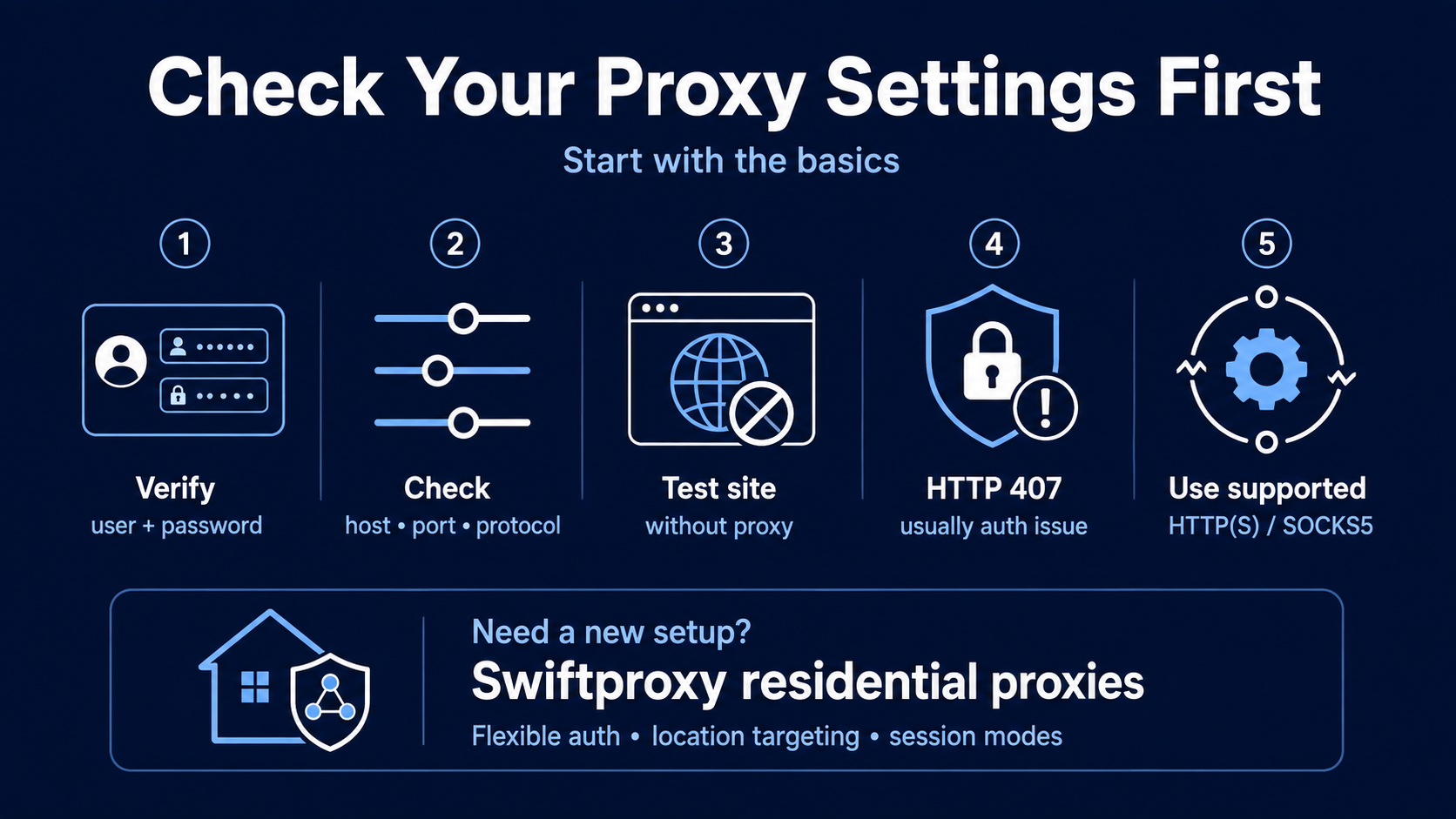
Start with the basics before replacing your proxies. Verify your username and password, proxy host, port, protocol, available traffic, and whether the target website works without a proxy.
HTTP 407 errors, for example, often point to authentication problems rather than blocked IPs. You should also confirm that your application is using a supported HTTP(S) or SOCKS5 configuration.
If you need a new configuration, Swiftproxy residential proxies support flexible authentication, location targeting, and different session modes for scraping and data collection.
Look at the HTTP Error
The response code often tells you where the problem is. A connection error usually suggests a proxy or configuration issue, while 403 and 429 responses are more likely to come from the target website.
A 403 response may indicate that the request has been restricted. A 429 response normally means too many requests were sent within a certain period.
Instead of immediately replacing every proxy, reduce your request rate and test another residential IP. If the success rate improves, the problem is probably related to request behavior or IP reputation.
Avoid Rotating IPs Too Often
Changing IPs constantly sounds safer, but excessive rotation can create another problem. Websites that rely on cookies or login sessions may become suspicious when the same session suddenly appears from several different IP addresses.
Rotating proxies are usually suitable for independent scraping requests. Sticky sessions are better for login flows, account sessions, carts, and workflows that require the same identity for several minutes.
Swiftproxy offers both rotating and sticky residential sessions, making it easier to match your IP behavior to the target website.
Reduce Aggressive Request Patterns
Even a high-quality residential IP can be rate-limited if it sends hundreds of similar requests in a short period. Increasing concurrency without controlling delays and retries can make the proxy appear unreliable when the actual problem is request volume.
A more stable setup should:
- Limit simultaneous requests to the same domain
- Add reasonable delays between requests
- Retry failed requests gradually
- Rotate IPs after repeated failures
- Track success rates for each target website
The goal is not simply to rotate through as many IPs as possible. It is to create request patterns that remain stable over longer periods.
Check IP Quality
If your configuration and request frequency look normal but blocks continue, IP reputation may be the problem. Residential IPs that have been heavily reused can accumulate restrictions across popular websites.
This is where a larger and more diverse residential IP pool becomes useful. Moving requests between different residential networks and locations reduces your dependence on individual IPs that may already have a poor reputation.
You can compare available options on the Swiftproxy residential proxy pricing page and choose a traffic plan based on the scale of your workload.
Use the Right Session for the Right Task
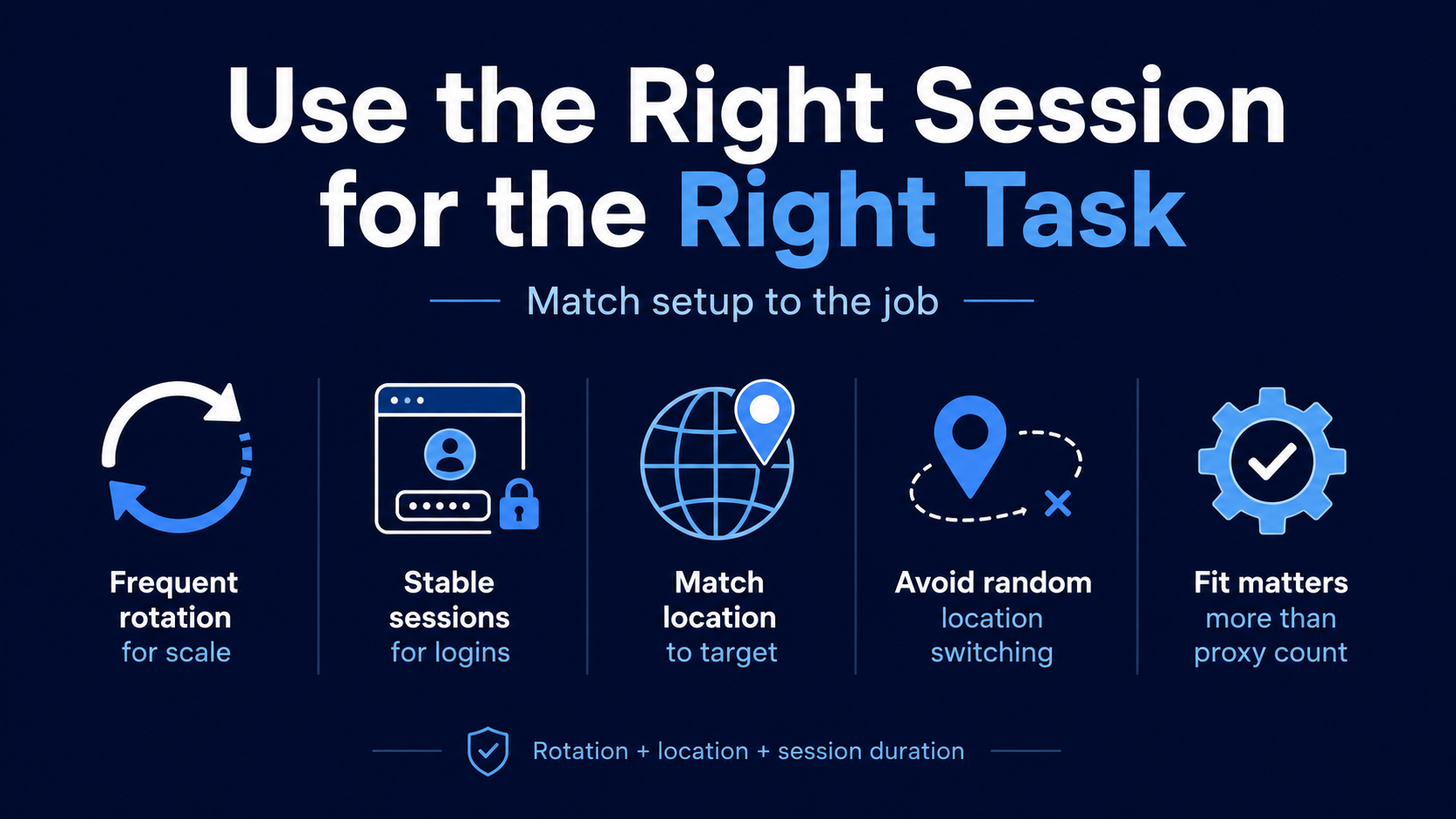
One proxy configuration does not work equally well for every website. Large-scale public data collection may benefit from frequent rotation, while login-based workflows often require stable sessions.
The same applies to location targeting. If a target expects users from a particular country or city, repeatedly switching between unrelated locations can create unnecessary verification challenges.
Matching the proxy location, rotation frequency, and session duration to the task is often more effective than simply increasing the number of proxies.
How to Keep Residential Proxies Stable
Reliable residential proxy performance requires monitoring. Track HTTP response codes, request frequency, IP changes, session duration, and success rates so that you can identify patterns before failure rates increase.
You should also avoid applying the same configuration to every target website. Test each target separately and adjust rotation, concurrency, retries, and sticky session duration based on its behavior.
Final Thoughts
Residential proxies rarely stop working simply because a few days have passed. Authentication errors, aggressive requests, poor IP reputation, incorrect rotation, and target-site restrictions are much more common explanations.
Start by checking your configuration and HTTP responses, then review your request frequency and session strategy. If IP quality remains the problem, using a broader residential proxy network such as Swiftproxy can provide more flexibility for rotating IPs, maintaining sticky sessions, and scaling legitimate web data collection.
FAQ
Why does my residential proxy work on one website but not another?
Different websites use different security and rate-limiting systems. If the proxy works elsewhere, the blocked website may be restricting the IP or request pattern rather than the proxy connection itself.
Should residential proxies rotate on every request?
Not necessarily. Rotation works well for independent requests, while sticky sessions are usually better when cookies, accounts, or multi-step workflows need to remain consistent.
What does a 429 error mean when using proxies?
A 429 response generally means the target received too many requests within a certain period. Reducing request frequency, adding delays, and distributing requests across suitable residential IPs can help.
When should I change my residential proxy provider?
Consider changing providers when failures continue after you have verified authentication, request frequency, session settings, and target configuration. A larger and more diverse IP pool can help when repeated blocks are caused primarily by IP reputation.
Note sur l'auteur
 Solutions proxy résidentielles de haut niveau
 {{item.title}}
Articles liés

 24
24


- Veuillez fournir votre numéro de compte ou votre adresse courriel.
- Fournissez des vidéos ou des captures d'écran et décrivez simplement les problèmes auxquels vous êtes confronté.
- Notre personnel répondra à votre message dans les 24 heures.



